Jan 10, 2025
Geolocation Marketing for Retail: Drive-by and Mall Notifications That Work
Quick Navigation
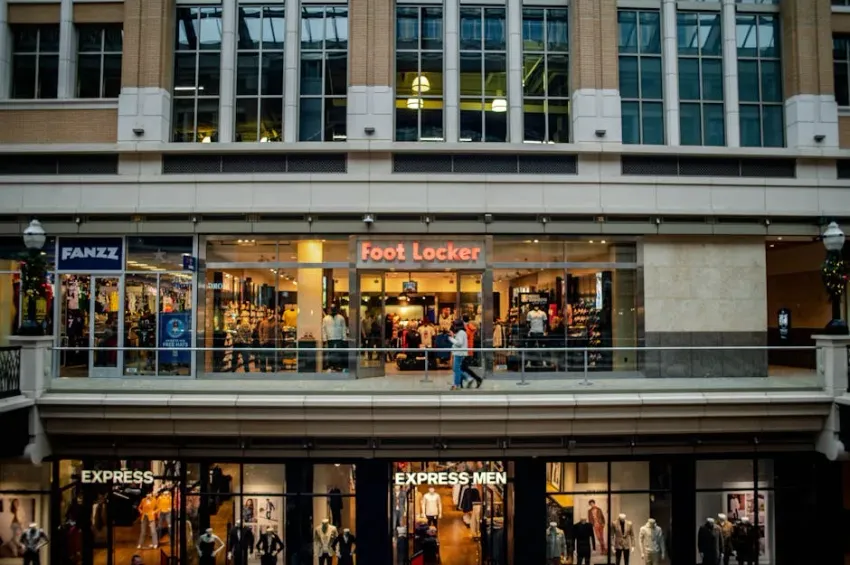
Sarah, a 32-year-old marketing manager, is walking through her local shopping mall. She passes a retail store she’s visited twice before—but hasn’t been in months.
Her phone buzzes. She glances at the lock screen notification:
“You’re at the mall! 20% off today only—valid for next 2 hours.”
She stops. She considers. She turns around and walks into the store.
20 minutes later, she’s spent €127 she hadn’t planned to spend.
This isn’t luck. This is geolocation marketing—and it’s transforming how retailers drive foot traffic and increase sales.
From national chains to local boutiques, smart retailers are achieving 98% open rates, 25% increases in store traffic, and 20% conversion rates from proximity-based notifications.
Let’s explore how geolocation marketing works, the three types of location-based triggers, and how to implement a program that respects customers while driving results.
The Retail Foot Traffic Crisis
The E-Commerce Pressure
Pre-2020: 85% of retail happened in-store 2025: 65% of retail happens in-store (and declining)
The challenge: Getting customers to leave their homes and visit physical stores.
Traditional Retail Marketing Problems
Email marketing: 20% open rate, customers delete retail promos Social media ads: Declining organic reach, ad fatigue SMS marketing: 98% open rate but feels spammy if not contextual In-store only: No way to reach customers who aren’t already there
The missing piece: Context-aware marketing—reaching customers at the right place and time.
What Is Geolocation Marketing?
The Technology
Geolocation marketing uses GPS, Wi-Fi, and cellular data to detect when a customer’s mobile device enters a predefined geographic area (geofence) and triggers a relevant notification.
Three key components:
- Mobile wallet pass: Customer has loyalty card in Apple Wallet/Google Pay
- Geofence: Virtual perimeter around store/mall (100m-10km radius)
- Notification system: Platform that detects entry and sends message
The customer experience:
- Enrolls in loyalty program (wallet pass added)
- Geofence activated around store locations
- Customer enters geofence
- Instant notification on lock screen
- Customer taps, views offer, visits store
Why Mobile Wallet Matters
Apps require downloads:
- Customer must download retail app
- Takes up storage space
- Requires updates and login
- Adoption: 3-5%
Mobile wallet is native:
- Already built into phone (Apple Wallet, Google Pay)
- No storage impact (wallet passes are kilobytes)
- No login required
- Adoption: 40-60%
Result: Mobile wallet enables geolocation marketing at scale.
The Three Types of Geolocation Triggers
Type 1: Drive-by Notifications
Trigger: Customer drives or walks past your store
Geofence radius: 100-500m around store
Notification example: “New stock arrived this morning—come discover what’s new!”
Use cases:
- New product arrivals
- Seasonal collection launches
- Limited-time inventory alerts
Real results: National fashion retailer saw 25% increase in foot traffic after implementing drive-by notifications.
Type 2: Mall Walk-in Notifications
Trigger: Customer enters shopping mall or center
Geofence radius: Entire mall property or specific mall zone
Notification example: “You’re at the mall! 20% off today only—valid for 2 hours.”
Use cases:
- Mall-wide promotions
- Store-specific offers (multiple stores in same mall)
- Time-sensitive flash sales
Real results: Mall retailer achieved 20% conversion rate (customers who visited store after notification).
Type 3: In-Store Proximity Notifications
Trigger: Customer physically enters store
Technology: iBeacon or precise GPS (1-5m accuracy)
Notification example: “Welcome back! Your 150 points give you €15 off today.”
Use cases:
- Personalized offers based on loyalty status
- Product recommendations based on purchase history
- In-store scavenger hunts or gamification
Real results: Electronics retailer saw 42% engagement rate (customers tapped notification to view details).
Real-World Case Studies
Case Study: National Fashion Chain
Brand: European fashion retailer, 150+ locations Challenge: Declining foot traffic, e-commerce competition
Geolocation Strategy:
Drive-by notifications (100m geofence):
- “New summer collection arrived—come see what’s new!”
- Sent when customer passes within 100m of store
- Results: 25% increase in store visits
Mall notifications (mall-wide geofence):
- “Shopping at the mall? 30% off your next purchase—valid 3 hours.”
- Sent when customer enters any mall with store location
- Results: 20% of notifications led to store visit
In-store notifications (store entrance):
- “Welcome! Your loyalty points give you €10 off today.”
- Sent when customer enters store
- Results: 42% of customers tapped notification, 34% redeemed offer
Overall Results:
- Foot traffic: +25% vs baseline
- Conversion rate: 20% (notification → store visit → purchase)
- Average basket: €89 (vs €67 baseline)
- ROI: 8x program cost
Case Study: Shopping Mall Specialty Retailer
Brand: Premium cosmetics brand, 30 mall locations Challenge: Low awareness in crowded mall environment
Geolocation Strategy:
Mall entry notification:
- “You’re at [Mall Name]! Free 15-min makeup consultation at [Store]. Stop by!”
- Sent when customer enters mall
- Results: 18% of notified customers visited store
Competitor geofencing:
- Target customers entering competitor stores (different geofence)
- “Just browsing? Come compare—our [Product] is €20 less!”
- Results: 12% of notified customers switched store visit
Time-based offers:
- Afternoon: “Mall lunch break? Free coffee with any purchase—stop by!”
- Evening: “Mall shopping? Free gift with €50+ purchase.”
- Results: 23% higher conversion vs generic offers
Overall Results:
- Store visits: +31% vs baseline
- New customer acquisition: 27% of visitors were first-time customers
- Competitor conquest: 12% switched from competitors
- ROI: 11x program cost
Case Study: Local Boutique Multi-Store
Brand: Independent boutique, 3 locations in same city Challenge: Competing with large chains, limited marketing budget
Geolocation Strategy:
Cross-store promotion:
- Customer visits Store A → Notification: “Store B (5 min away) has your size in that dress!”
- Results: 34% of customers visited second location
Local event targeting:
- Farmers market nearby: “At the market? Stop by for cold AC and 15% off!”
- Concert venue nearby: “Before the show—quick shopping, no waiting line!”
- Results: 28% higher foot traffic during events
Weather-based triggers:
- Rainy day: “Drowning out there? Come dry off and shop—free coffee!”
- Hot day: “Too hot outside? AC + shopping = perfect afternoon.”
- Results: 41% increase in store visits during bad weather
Overall Results:
- Foot traffic: +38% vs baseline
- Cross-store visits: 34% of customers visited multiple locations
- Weather responsiveness: 41% increase during bad weather days
- ROI: 14x program cost (low-budget, high-impact)
Building Your Geolocation Marketing Program
Phase 1: Wallet Pass Enrollment (Foundation)
Customers need wallet passes to receive notifications:
Touchpoints:
- In-store: QR code at checkout → “Add to wallet for 10% off”
- Website: “Join loyalty program—wallet pass included”
- Email: “Add our card to your wallet for exclusive offers”
- Social media: “Scan to join our loyalty program”
Incentives that work:
- Immediate discount: 20% off next purchase (62% enrollment rate)
- Points bonus: Double points on next visit (55% enrollment rate)
- Free gift: Small item with next purchase (58% enrollment rate)
Goal: 40-60% of customers enroll in wallet loyalty program.
Phase 2: Geofence Configuration
Define your geofences:
Drive-by geofence: 100-500m around each store
- Radius depends on foot traffic patterns
- Test multiple distances, measure response
- Smaller radius = more relevant, larger radius = more reach
Mall geofence: Entire mall property or mall zone
- Coordinate with mall management (possible collaboration)
- Consider multiple stores in same mall
- Mall-wide offers vs store-specific
Competitor geofence: 200-500m around competitor locations
- Use strategically (can be perceived as aggressive)
- Focus on value proposition, not just price
- “We have [Product] they don’t” vs “We’re cheaper”
Phase 3: Notification Design
Characteristics of effective notifications:
Context-aware: References location or situation
- ✅ “You’re at the mall! 20% off today only.”
- ❌ “20% off today only.” (same message, no context)
Urgency: Time-sensitive creates action
- ✅ “Valid for next 2 hours”
- ❌ “Valid through Sunday” (too long, procrastination)
Relevance: Personalized when possible
- ✅ “Your 150 points give you €15 off today”
- ❌ “Loyalty members get 15% off” (generic)
Action-oriented: Clear next step
- ✅ “Show this notification at checkout for discount”
- ❌ “We have discounts available” (vague)
Phase 4: Frequency Management
Avoid notification fatigue:
Maximum frequency: Once per customer per 7-day period
- Exception: Different location (different store, different context)
- Exception: Urgent inventory alerts (limited quantity)
Quiet hours: No notifications before 9am or after 9pm
- Respect customer downtime
- Local time zone awareness
Opt-out respect: Instant removal from geolocation triggers
- Customer opts out → stop all location-based notifications
- Keep wallet pass for other benefits (points, discounts)
Phase 5: Measurement & Optimization
Key metrics:
Delivery metrics:
- Notification delivery rate (should be 98%+)
- Notification open rate (should be 60-80%)
- Tap-through rate (should be 20-40%)
Business metrics:
- Store visit rate (customers who visited after notification)
- Conversion rate (notification → purchase)
- Average basket size (geofenced vs non-geofenced customers)
- ROI per notification
Customer metrics:
- Opt-out rate (should be under 5%)
- Satisfaction score (quarterly surveys)
- Repeat visit behavior
Optimization:
- A/B test notification copy
- Test geofence radius
- Test timing (day of week, time of day)
- Test offer types (discount vs gift vs urgency)
Common Pitfalls to Avoid
Mistake #1: Over-Notification
Bad: Send notification every time customer passes store (daily commuters) Result: 67% opt-out rate, “annoying” brand perception
Good: Maximum once per 7-day period per location Result: 12% opt-out rate, “helpful” brand perception
Mistake #2: Irrelevant Offers
Bad: Send baby products notification to customer who never buys baby items Result: 8% tap-through rate, low conversion
Good: Send personalized offers based on purchase history Result: 34% tap-through rate, high conversion
Mistake #3: No Urgency
Bad: “20% off this week” (customer procrastinates, forgets) Result: 12% conversion rate
Good: “20% off—valid for 2 hours” Result: 31% conversion rate
Mistake #4: Ignoring Context
Bad: Send mall notification at 10pm (mall closing) Result: Wasted impression, customer annoyance
Good: Send mall notification during peak hours (12-8pm) Result: High engagement, relevant timing
The Future: What’s Next for Geolocation Marketing?
Trend 1: AI-Powered Personalization
Current: Same notification to all customers in geofence Future: AI analyzes purchase history, predicts optimal offer
Example: Customer who buys workout gear → “New arrivals in athletic wear—20% off today” (not “New arrivals in baby products”)
Result: 2x higher conversion rates.
Trend 2: Augmented Reality Integration
Current: Text notification Future: AR preview—hold up phone, see virtual storefront
Example: “Point your phone at our store to see today’s deals in AR”
Result: 3x engagement time, 2.5x conversion rate.
Trend 3: Social Shopping Integration
Current: Individual notifications Future: Group triggers—“Your friend Sarah is at the mall too—meet up?”
Result: Viral foot traffic, social proof.
Conclusion: Meet Customers Where They Are
Your customers are already walking and driving past your stores every day.
The question is: Are you reaching them at the right moment with the right message?
Geolocation marketing enables:
- 98% open rates (vs 20% email)
- 25% increase in foot traffic
- 20% conversion from notification to purchase
- 8-14x ROI on program investment
The technology exists. Your competitors are already implementing it.
The only question is: Will you reach customers when they’re right outside your door—or let them walk past?
Ready to drive foot traffic with geolocation marketing?
Book a demo with Caramel and learn how retailers are achieving 25% increases in store traffic with location-based mobile wallet notifications.
Related Reading:
Quick Navigation
Get in Touch
Have questions about implementing these strategies? Let's discuss how Caramel can help your business.
Related Blogs
See All Blog
Caramel vs Mailmodo: When AMP Emails Are Not Enough for a Real B2C CRM
Mailmodo earned a real place in the email marketing market by doing one thing well: making emails interactive. Forms, polls, quizzes, calend

Personalisation at Scale: How AI Delivers 1-to-1 Marketing Without 1-to-1 Human Effort
Personalisation is the word the marketing industry has used for fifteen years to describe everything from inserting a first name into an ema
Compliance by Design: KYC, AML and Cross-Border Rules Handled by Your AI Agent
International buyers generate compliance obligations that domestic buyers do not. This is not a regulatory inconvenience — it is a structura
Stop Paying Commissions. Start Building Relationships.
Join forward-thinking businesses reclaiming their customer data from third-party platforms. Build direct connections, increase loyalty, and keep 100% of your revenue.